
Installing the Sqlite Viewer Extension in VSCode | Dadosfera Documentation
Inside VSCode there are several extensions that can be used in the project to improve productivity. In this context, the Sqlite Viewer library can be used if the project has a local sqlite3.db database.
Prerequisites
- Have a Dadosfera user account;
- Access to the Intelligence Module;
- Have a project created in the Intelligence Module;
- Have some VSCode service (DATA APP) installed within the project
Installing the Sqlite Viewer library
- Go to the extensions icon and search for "sqlite"
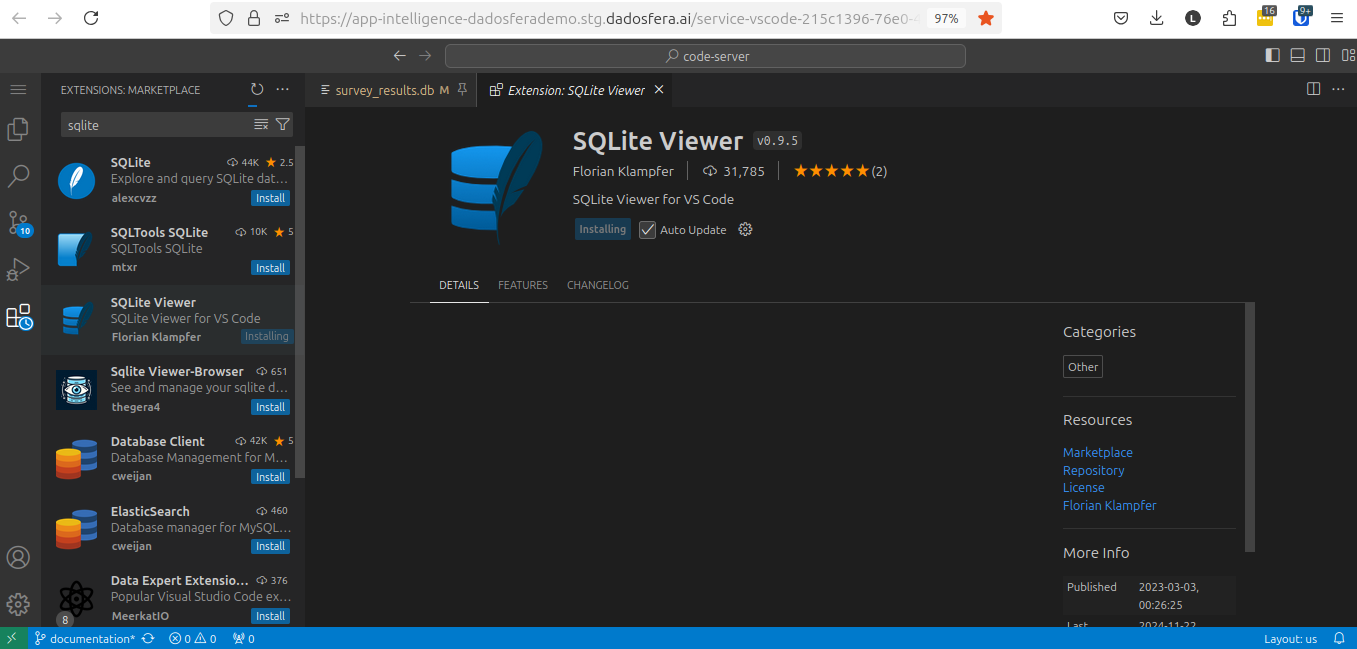
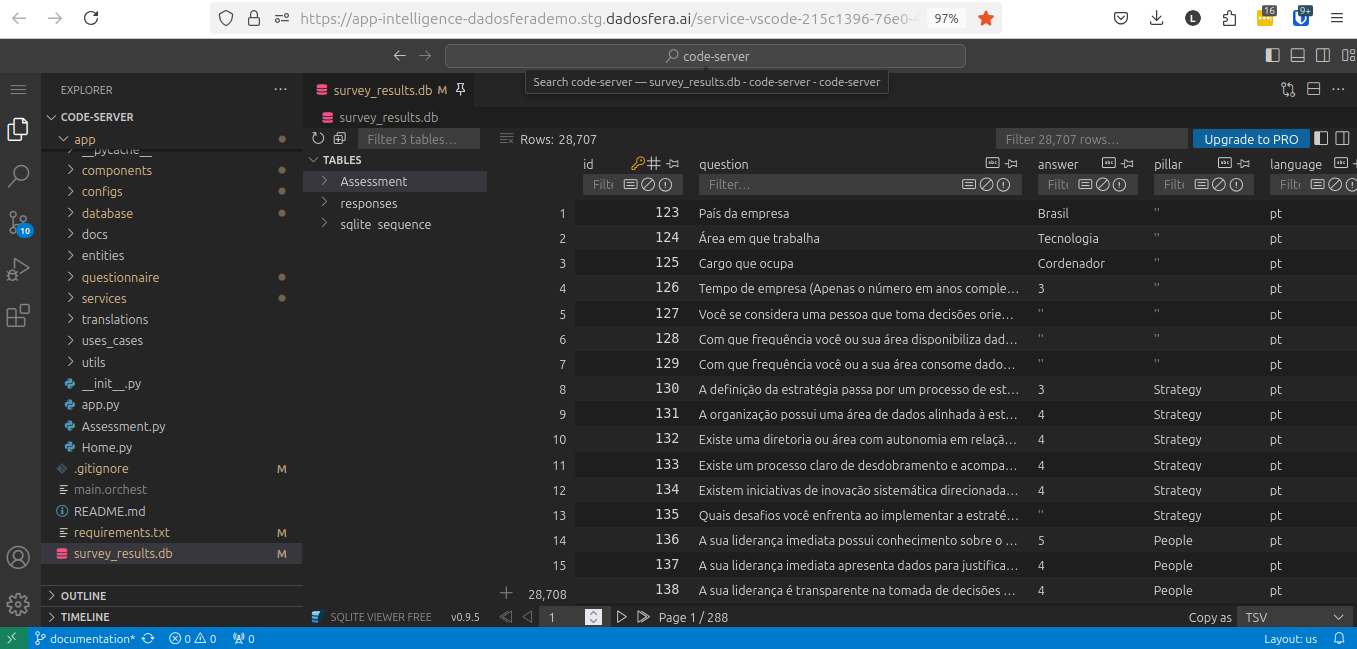
- After installing SQLite Viewer, you'll be able to view the sqlite3 database through VSCode
Updated 2 months ago
Did this page help you?